


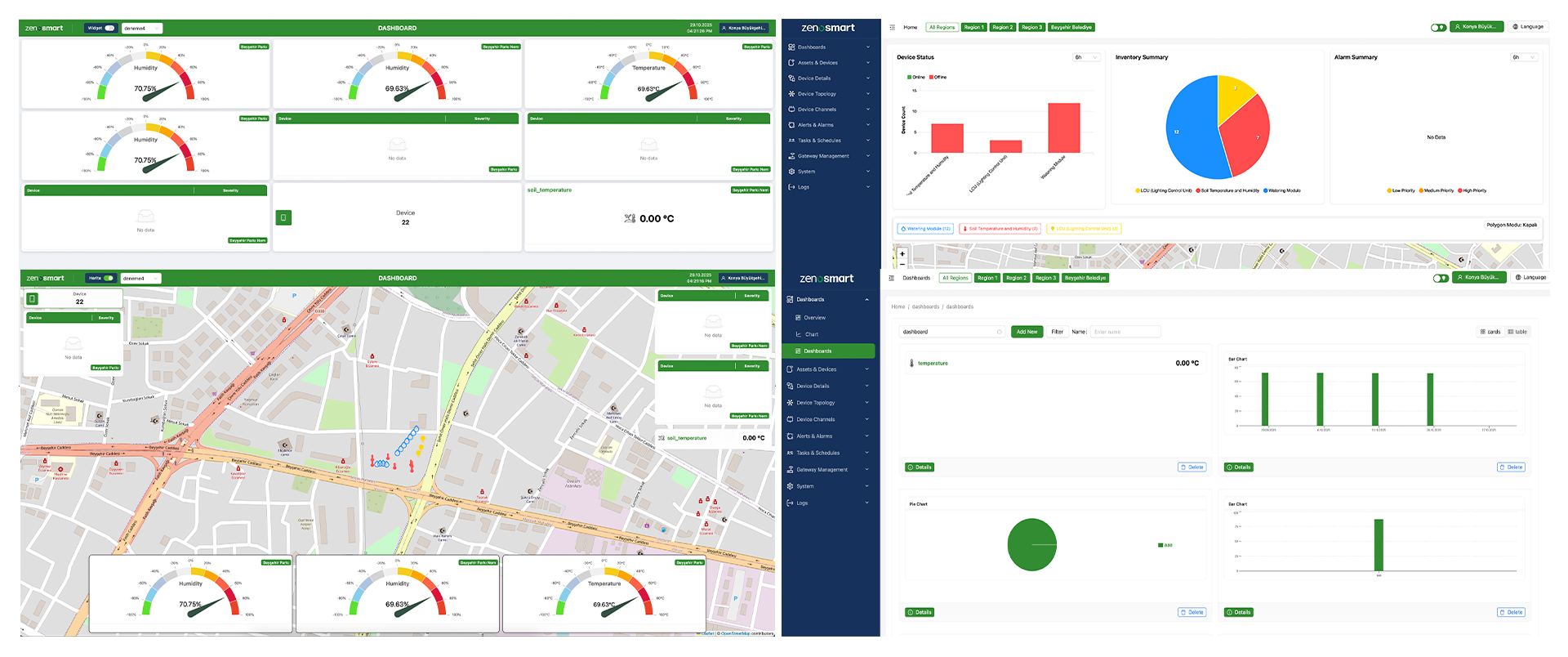
Zenosmart Control Management System
Zenosmart Control Panel is a powerful Control Management System (CMS) that enables you to monitor, control, and manage your IoT-based smart infrastructures from a single centralized platform. The panel analyzes data from devices, takes automated actions, increases operational efficiency, and ensures energy savings.
Application Areas
Zenosmart Panel is used in lighting, irrigation, environmental sensors, energy monitoring, container and asset tracking, industrial automation, and many other fields:
Irrigation Systems: Watering is performed only when necessary based on sensor data, enabling significant water and energy savings through autonomous operation
Lighting Solutions: Manage your lighting devices individually or in groups in real time. You can also schedule them for specific times or adjust them based on sunrise and sunset
Environmental Sensors: Air quality, temperature, humidity, and CO₂ measurements—as well as ultrasonic depth sensors, light sensors, and other environmental parameters—are monitored in real time
Asset & Meter Tracking: Vehicle, container, parking, infrastructure management, and production line monitoring
Request a Demo
ZenoSmart control software enables users to save time by automating their operations and make accurate, data-driven decisions. Its easy-to-use, modern, and mobile-responsive design provides seamless control from anywhere.
Fast Management
The ZenoSmart control panel provides single-screen system monitoring and management, instant notifications, fast map visualization, manual device control, streamlined inventory tracking, and comprehensive analytics to help increase operational efficiency.
Smart Automation
Repetitive tasks are simplified through automation; street lights operate with smart scheduling, and the rule engine generates automatic commands and notifications from various data sources.
Practical Control
Not only lighting, but you can also add and group all devices at the same location into the system, manage their data, and prepare your city for a smart city infrastructure.
Secure Solution
The system is highly scalable and remains accessible at all times. Its fast, fault-tolerant architecture supports large data processing and provides multi-factor security with WSO2/OAUTH2.
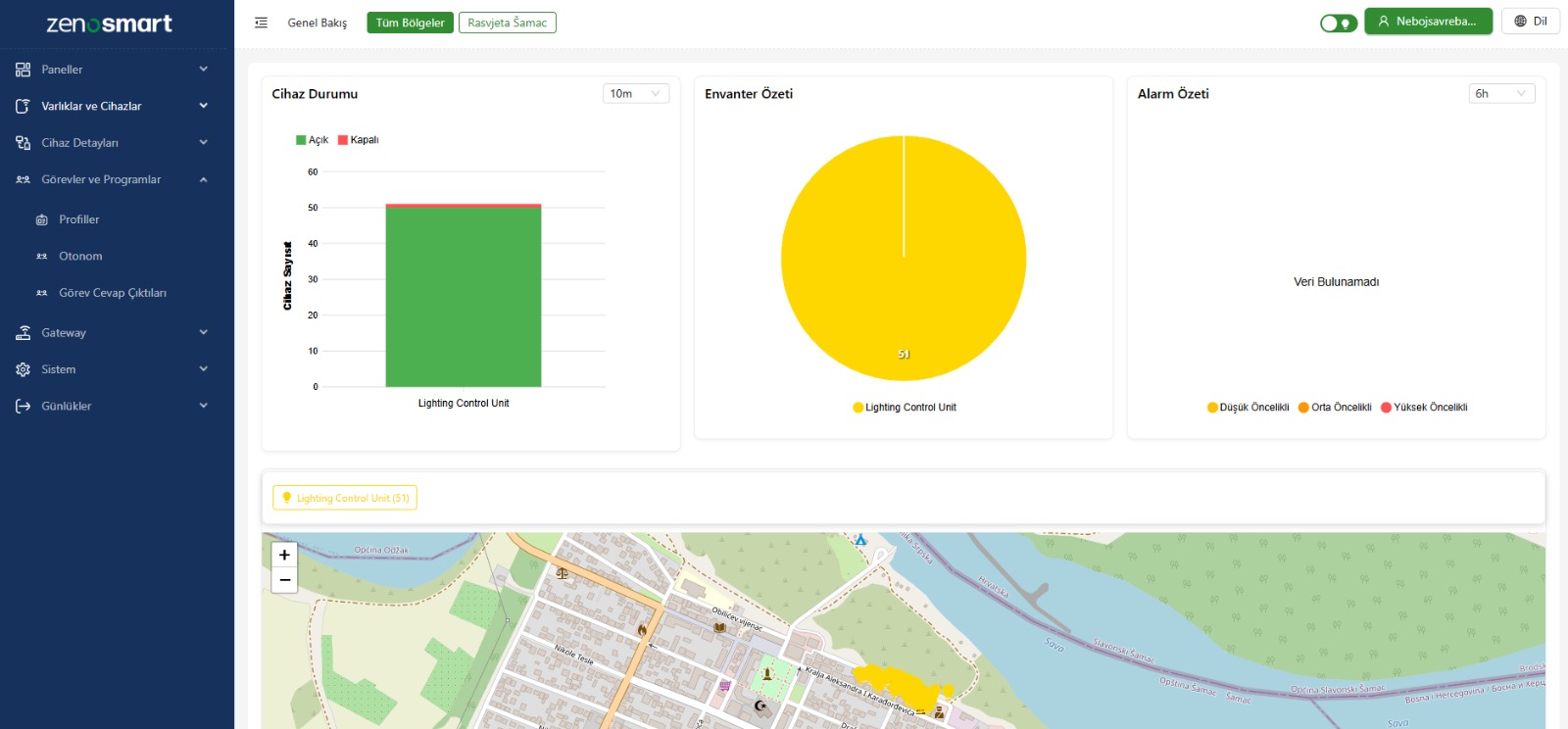
Full System Monitoring & Flexible Dashboard
As an administrator, you need a control panel that shows the overall status of the system. Simply accessing the data is not enough; you need to understand what is happening in real time.
For this reason, our comprehensive data collection infrastructure is connected to a relevant and visually rich, actionable information dashboard. This allows you to focus on what matters, quickly grasp trends, and take timely actions.
Control via Map
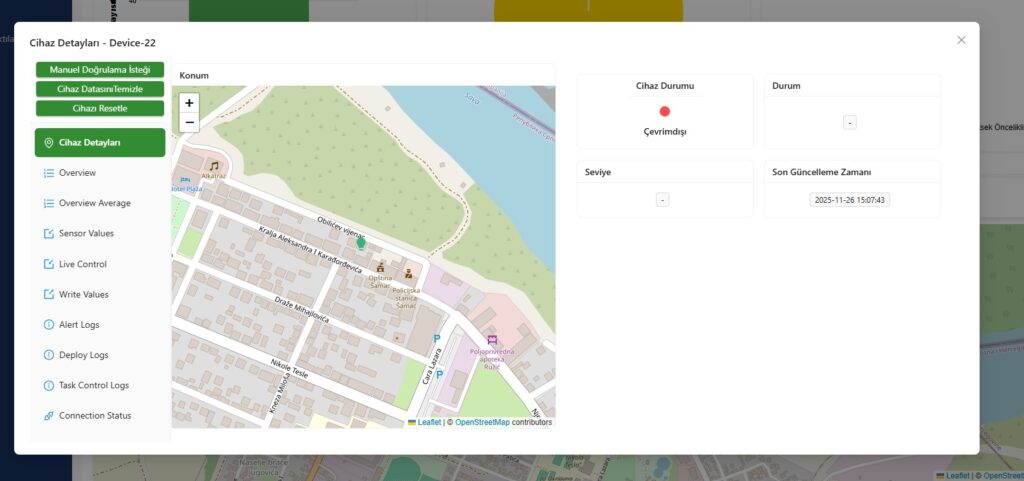
ZenoSmart is designed to keep user interaction at the center; all devices, locations, groups, and real-time statuses can be viewed on the map.
It is very simple and intuitive to use: you can move and reposition items, zoom in or out, check the status of a selected device, view details of a specific area, and even send manual commands.
Manage Your Entire IoT Inventory
All types of IoT sensors, controllers, and smart components offer a highly flexible approach to asset management. Both smart and non-smart, connected or unconnected inventory items can be defined as a component.
Group Your Inventory
You can easily group objects located at the same physical location. The pin view can be directly linked to various operations such as analytics, commands, device replacement, scheduling, and support requests, allowing you to carry out all your tasks effortlessly.
Easily Manage Your Groups
By grouping your IoT devices, you can filter, visualize, plan operations, send bulk commands, or retrieve specific parameter values. This way, common data in a specific area is logically consolidated.
Real-Time Control
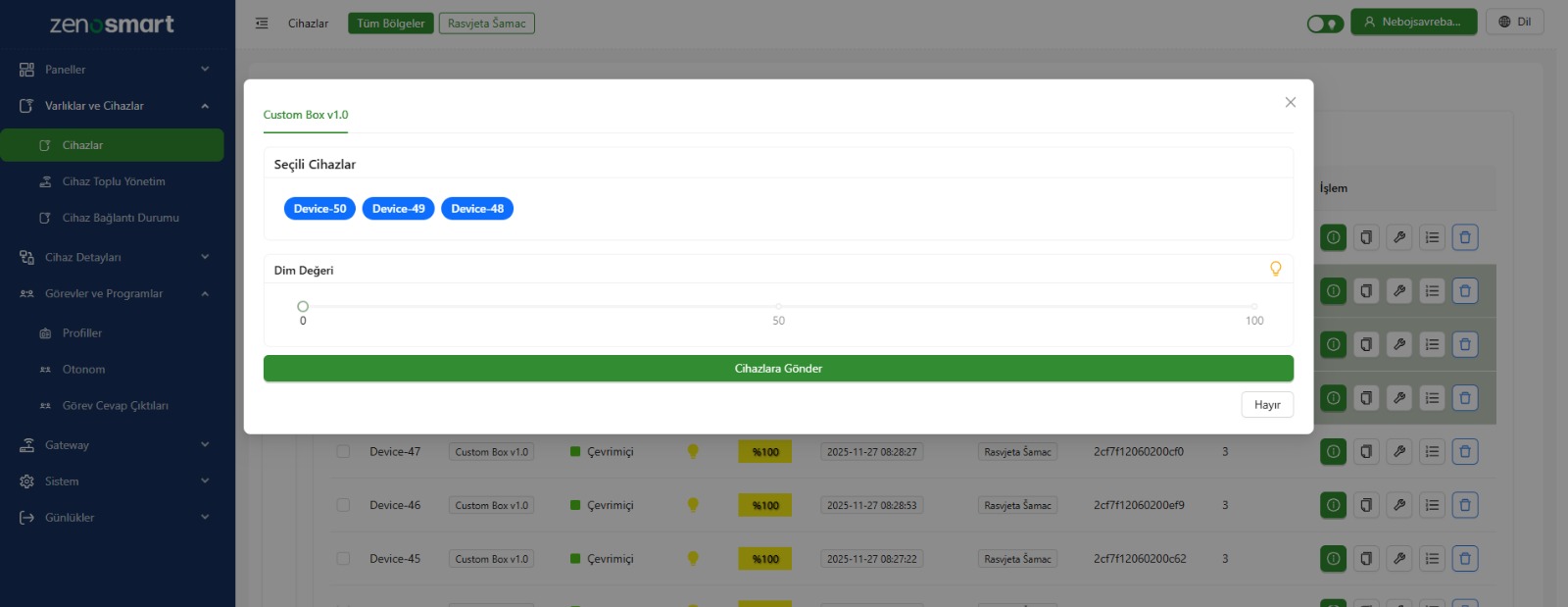
As a regional manager, you may want to create pre-planned commands for your devices divided into regions or groups. To provide fast and flexible usage, the system combines Programs, Calendars, and Scheduler Groups to adjust light levels throughout the night. Although designed for advanced lamp management, the system can also be used to control any device or actuator.
Automatic Task Management
As an administrator, you can use an advanced rule engine to define notifications and alerts, as well as automate desired actions. This system allows you to manage when rules are triggered, who is notified, how and how many times notifications are sent, and what additional actions result from the notification.
Define Devices
Group Devices
Enable Critical Alerts
Create Task Profiles
Assign Tasks to Devices
Monitor Task Execution
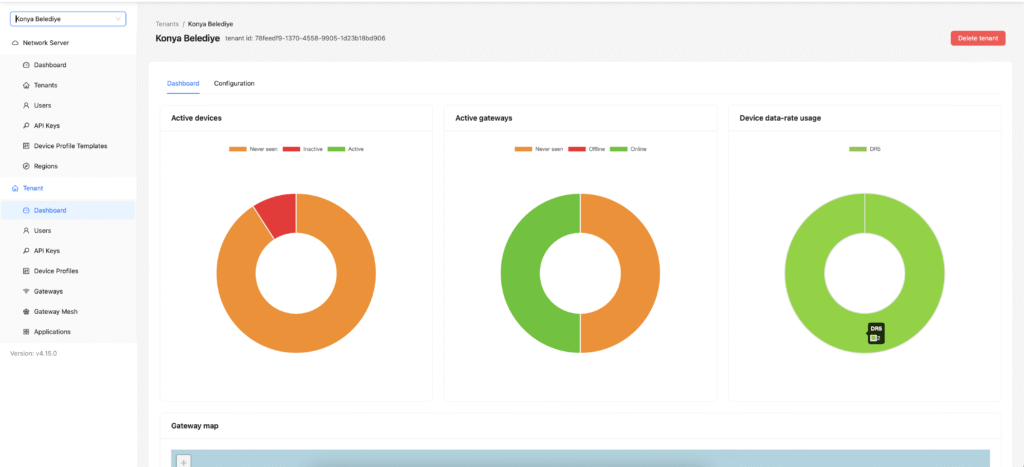
LoRaWAN Network Server Monitoring Dashboard
The LoRaWAN network server features a monitoring dashboard that displays the number of active LoRaWAN devices and gateways in the system, as well as total data usage. This dashboard allows you to track all network traffic in real time and continuously monitor system performance.
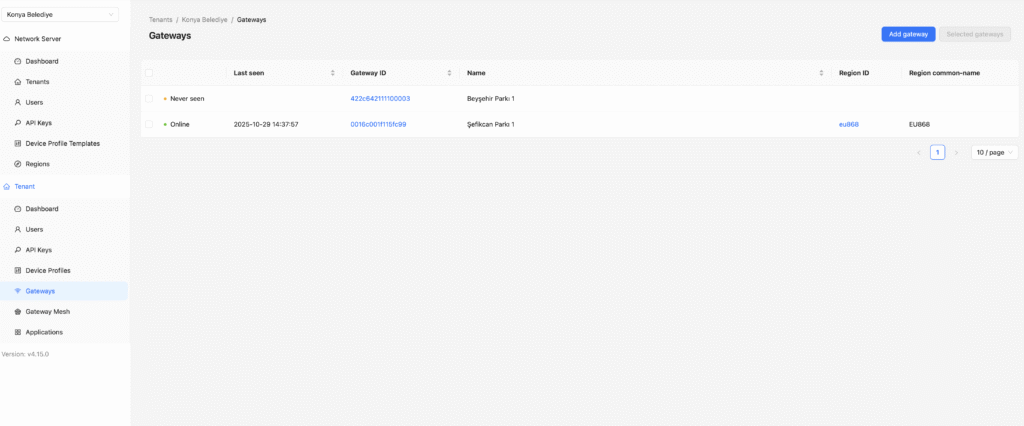
LoRaWAN Network Server Gateway Management Dashboard
In the LoRaWAN network server, you can add and manage gateways in the system. This dashboard allows you to monitor the real-time status of your gateways.
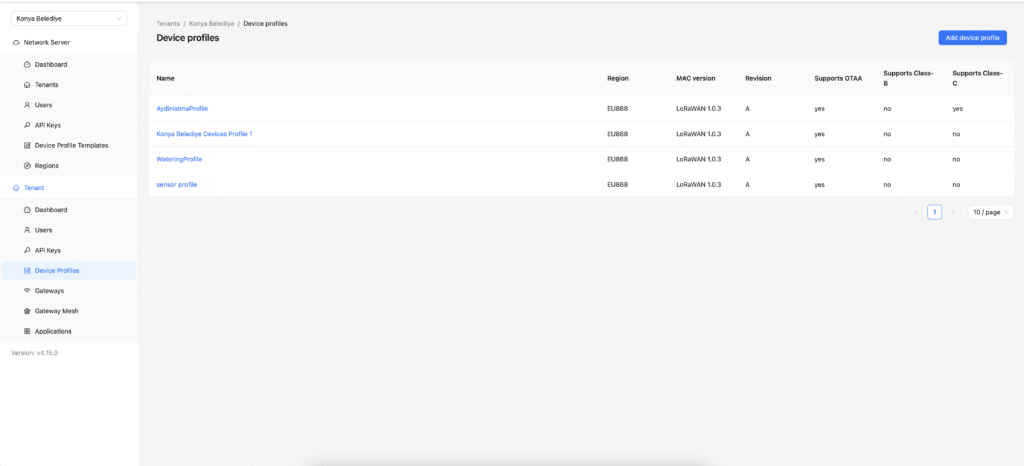
LoRaWAN Network Server Device Management Profiles
On the Network Server, you can define device profiles according to your applications, allowing you to easily manage different applications and various devices.